Who it’s for
Pick yours to see what it looks like.
Your flat or renovation, on one list.
Photograph each defect, send the list once, and get a photo back for every fix.
Start your defect list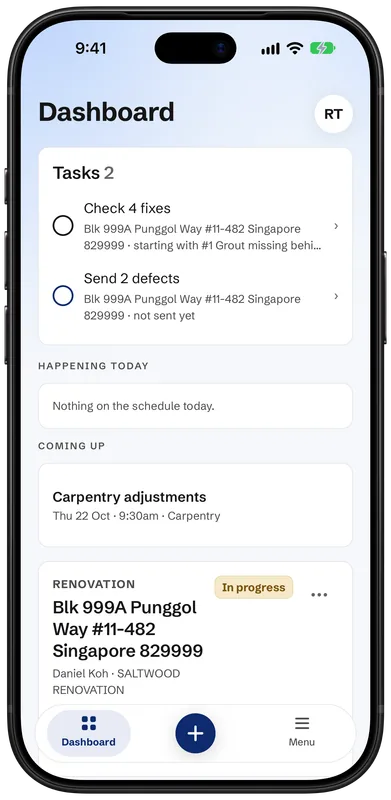
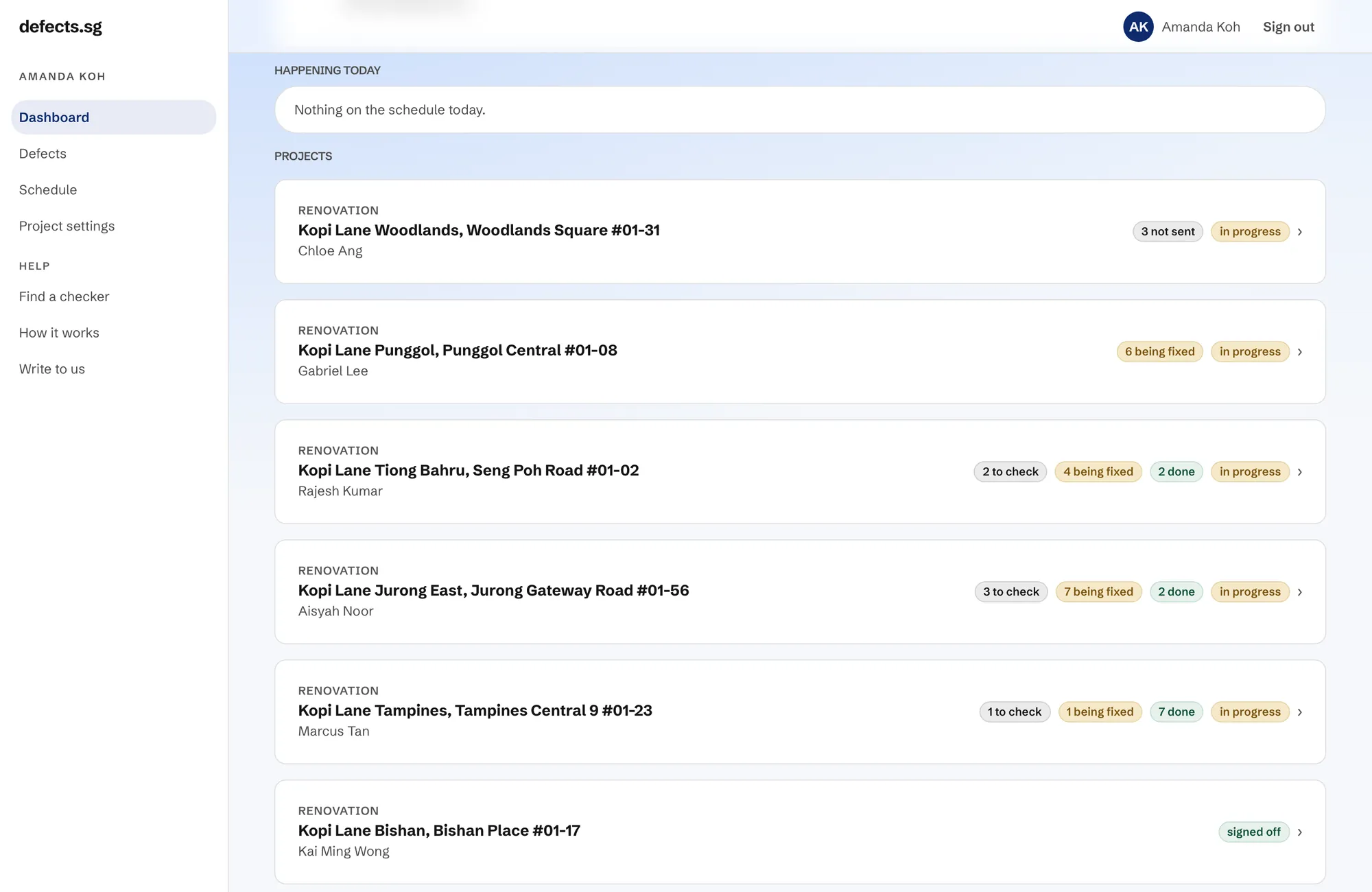
Every outlet, on one list.
Track fit-out defects across all your outlets, whichever firm is fitting each one out. See what’s open on every site, and add your stakeholders to each project.
Start your first project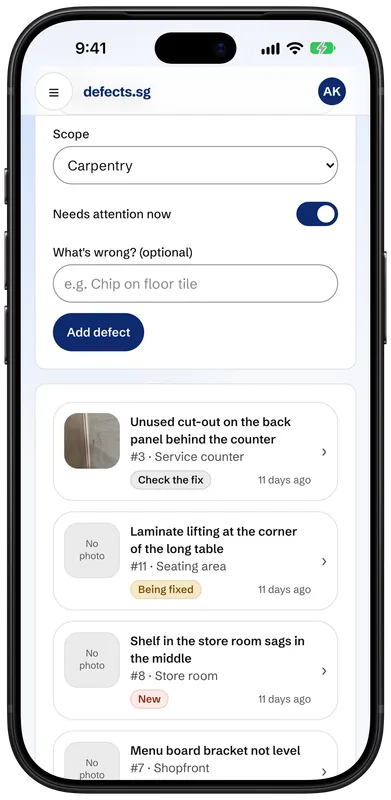
Free to log your defects. Firms pay per project. You never do.
Collecting keys?
Check the date in your handover pack.
For an HDB flat, your defect list should go in within one month of collecting your keys, before renovation starts.
Almost nobody knows the dates. Everyone is busy moving in.
Your handover pack is the authority on your dates, so check it.
When you use it
Two moments. One tool.
The same app, twice. First at handover. Then after your renovation or fit-out.
At key collection
Walk the unit. Snap what is wrong. Send the list.
You do not need your builder, your developer or anyone else to have signed up. Tell us your development and your unit, and the list is yours from that moment.
Want a second pair of eyes on the walk-through? Find a defect checker. Plenty of people do it themselves.
After a renovation or fit-out
Same tool, different other side. This time the list goes to your renovator.
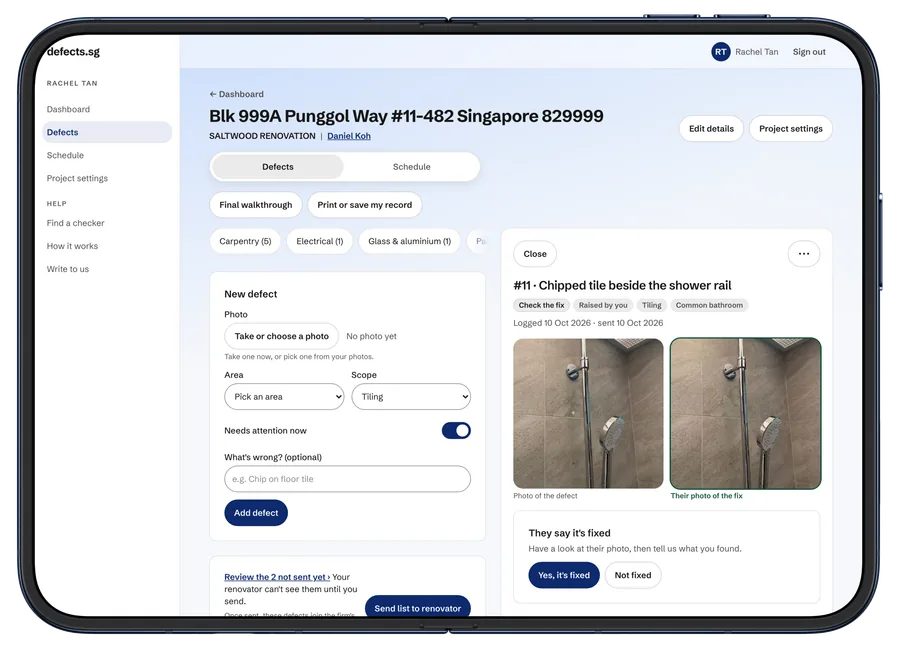
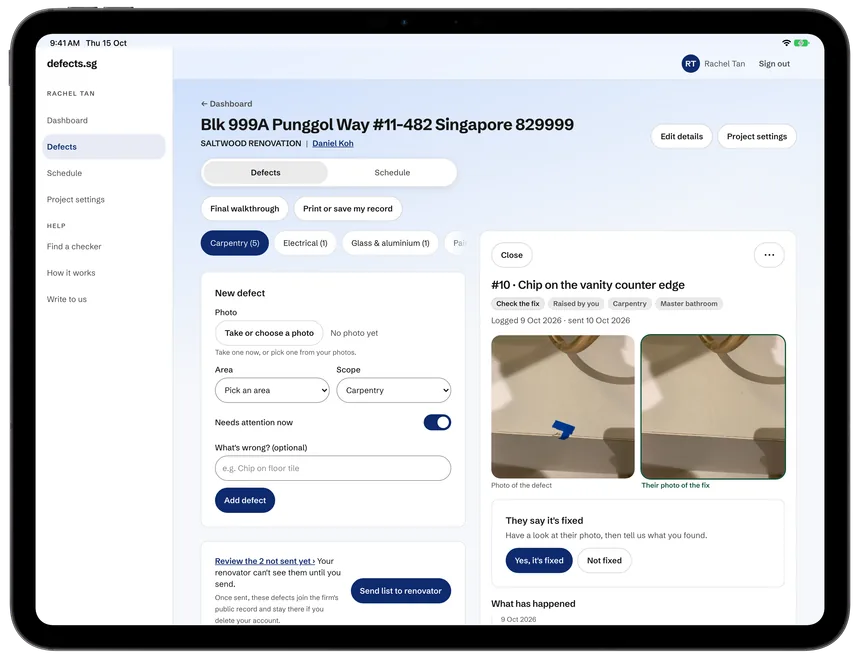
No photo, no fix. Every defect you log needs a photo back before it can be marked fixed. The app requires one.
Use it twice and the two lists protect each other. When something goes wrong later, the record already shows whether it was there before your renovation started, so nobody gets to blame the other one, and you’re not in the middle of it.
How it works
Five steps, start to finish.
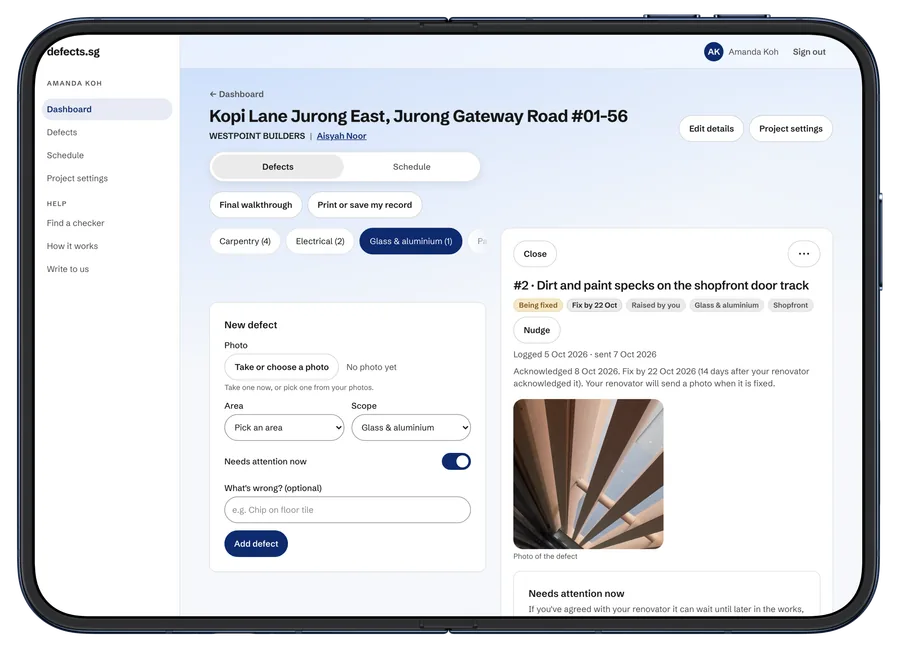
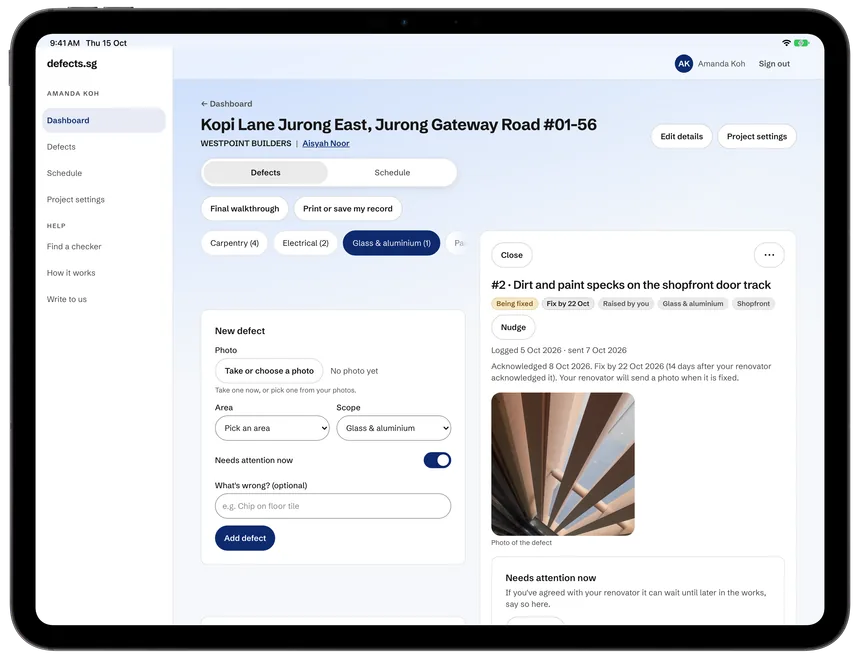
Snap it
A photo, a room, a line about what is wrong. That is the whole form.
Send the list
Nothing reaches them until you tap send. Add to it all week and send once, and it arrives as a checklist, not a complaint.
They acknowledge
They confirm they have seen it, and give you a date they mean to fix it by.
A photo of the fix
A photo for each defect. Nothing is marked fixed without one.
You decide
Accept it, send it back, or settle it between you. Only you can do this.
On your phone
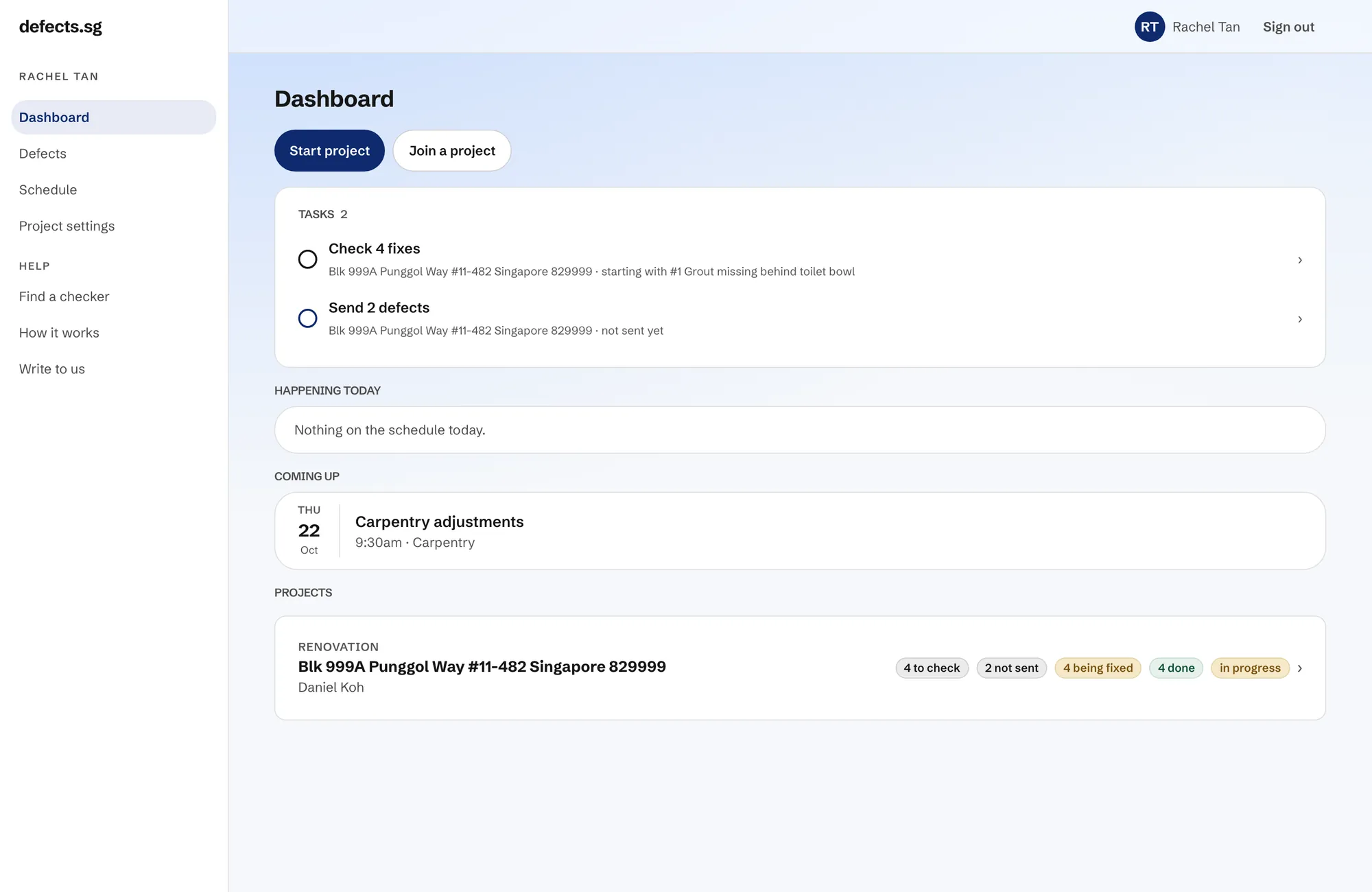
Your list, as you will see it.
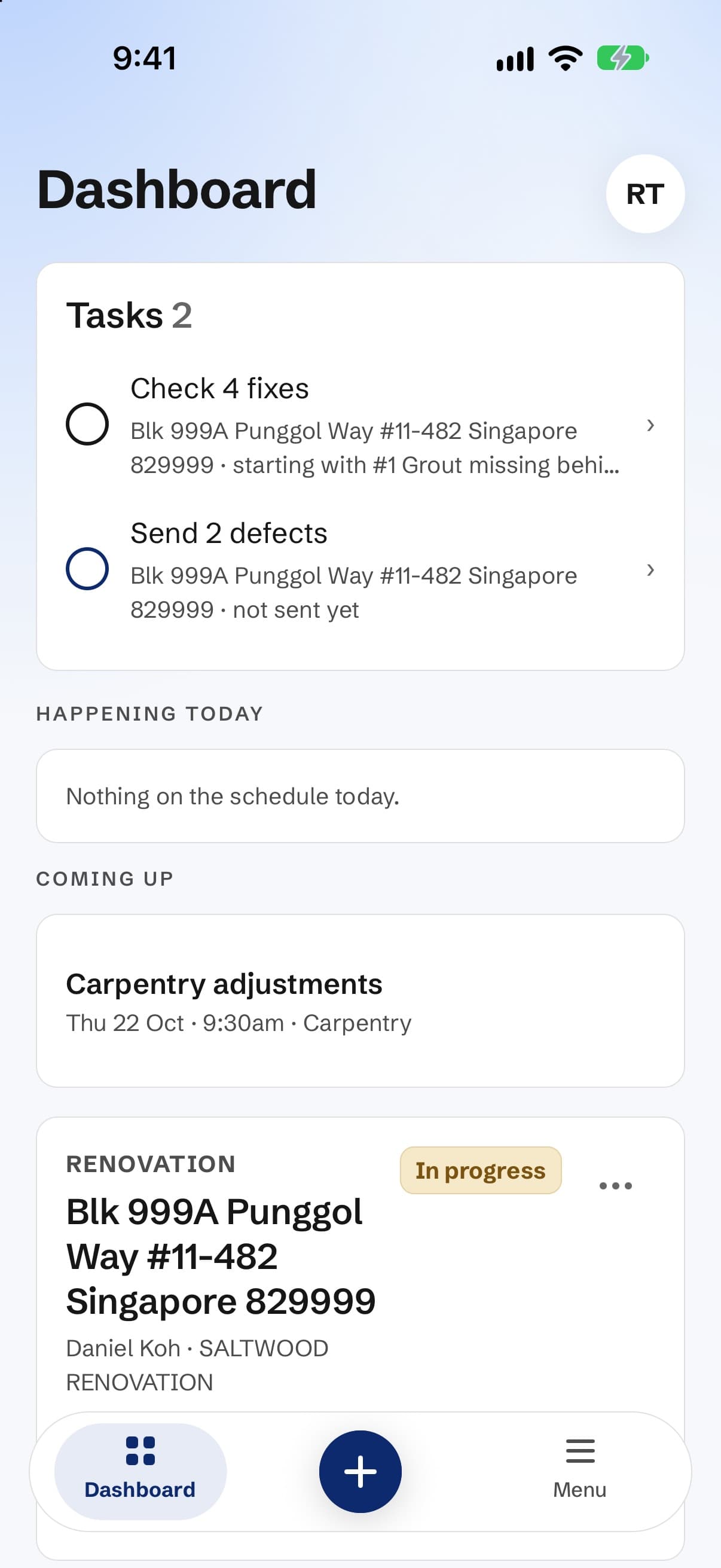
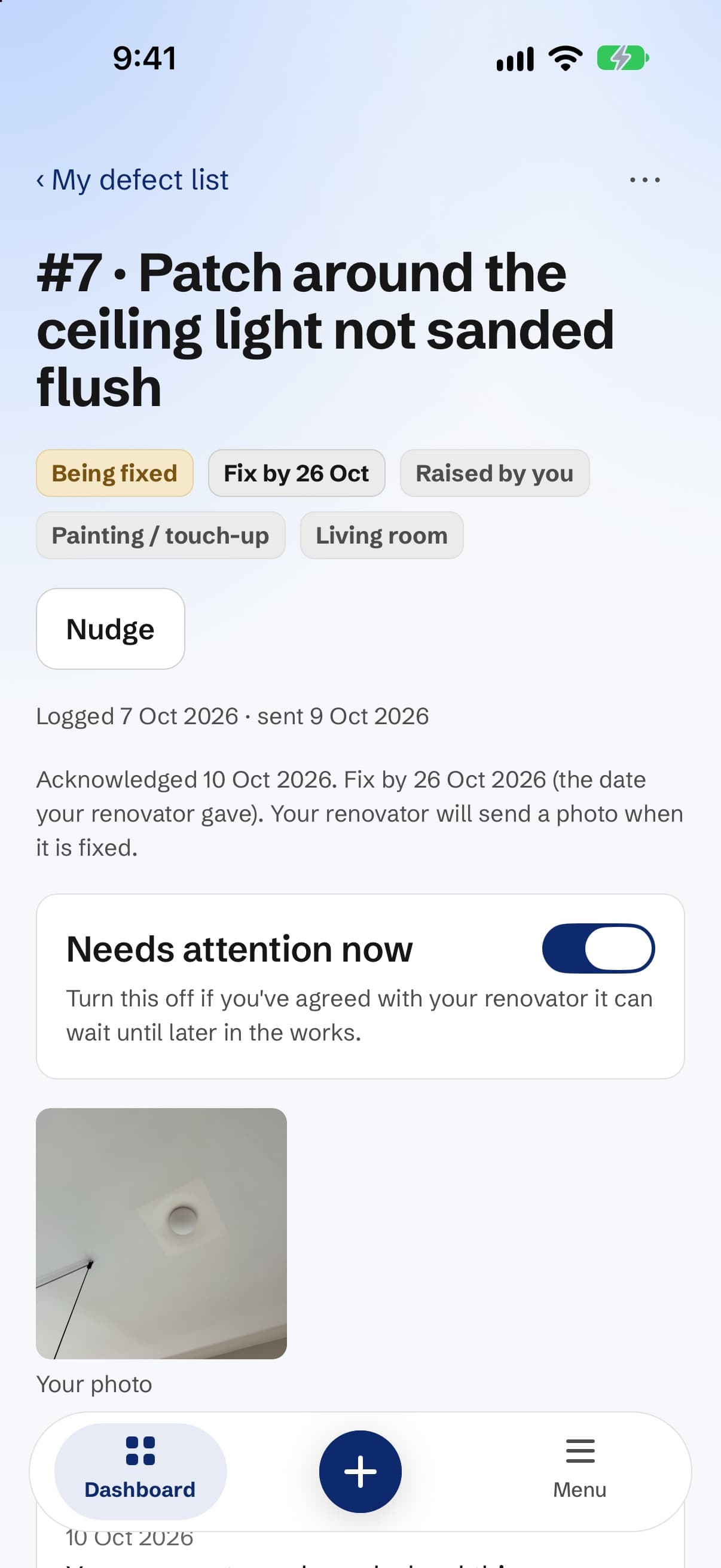
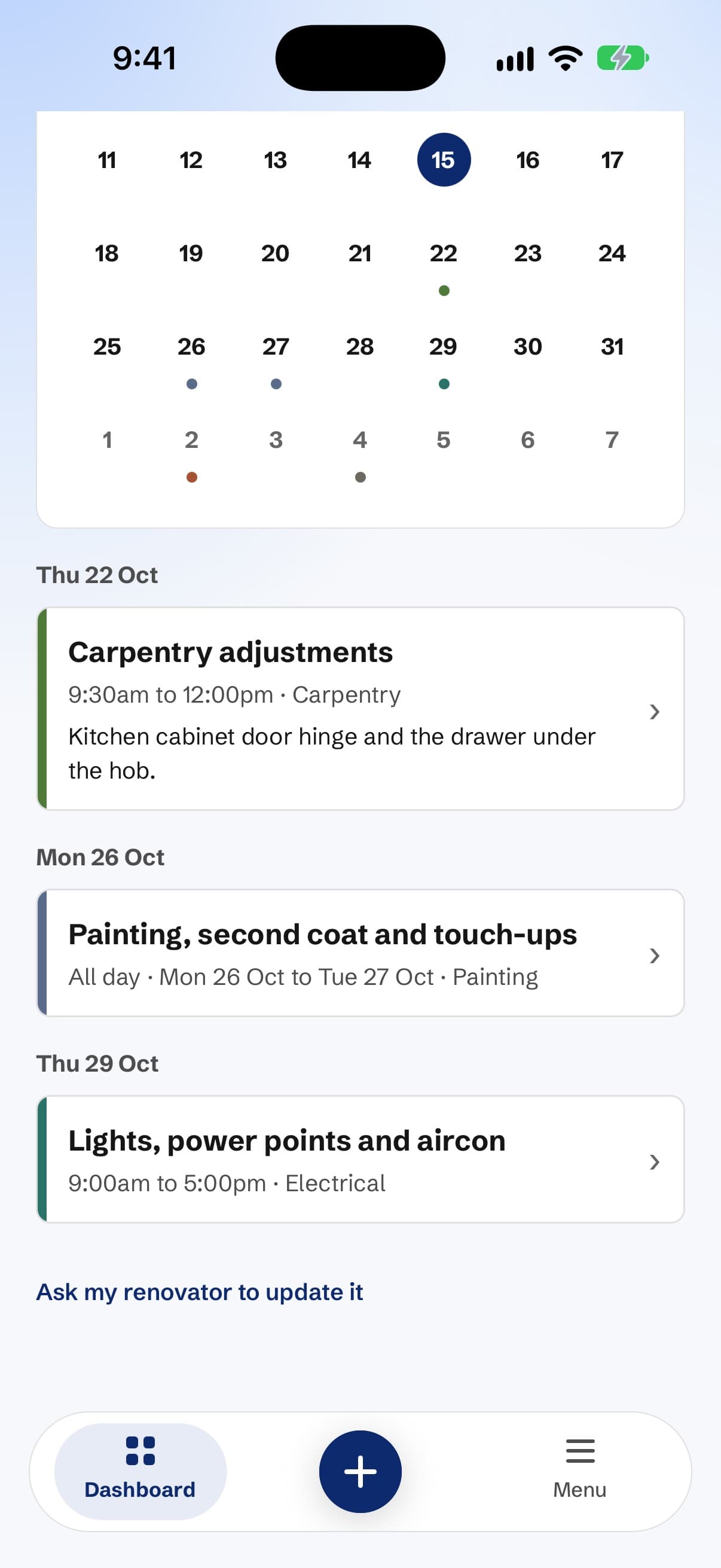
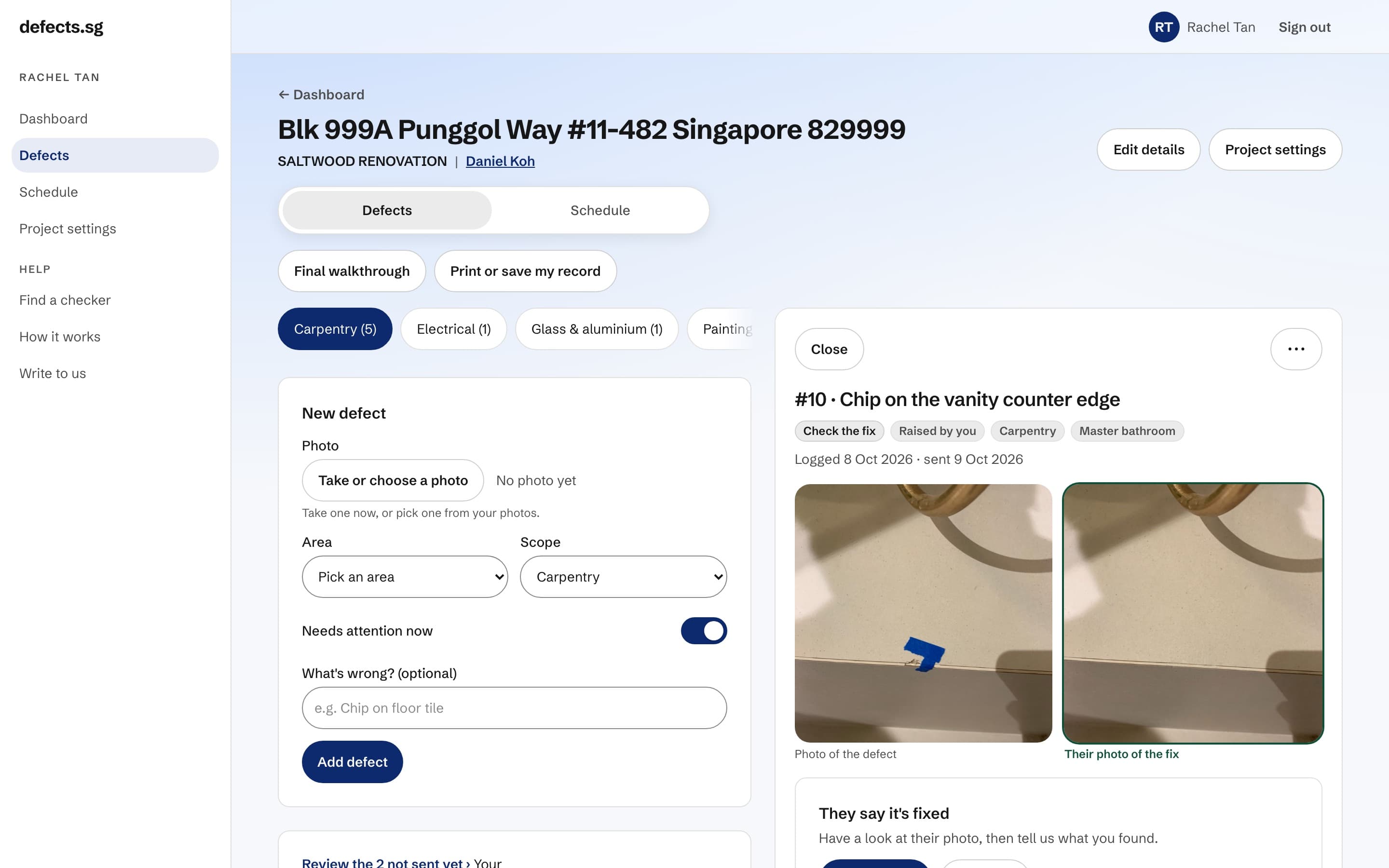
Sample data: the flat, the firm and the people are made up. The defect photos are real.
The rules
Four rules we built into the app.
Not policies we promise to follow. Rules the software enforces.
They can never edit or delete what you wrote
A firm can reply to a defect, and you see the reply. It cannot change your words or make a defect disappear.
Only you can accept a fix
A firm marks a fix as done and uploads the photo. Whether it counts as fixed is your call alone.
Nothing is ever deleted quietly
Your defects can only be deleted by you. A renovator can take back one they raised themselves, and the moment they do, we email you and send you a notification. Nobody can make a defect disappear without you being told.
Your record stays yours, even if you change renovator
The list, the photos and the dates belong to your account, not to the firm.
The honest question
Won't this make things awkward with my renovator?
It’s the first thing people ask, and it’s a fair question. You still have to work with these people for a few more weeks.
A list is less awkward than a conversation.
Every item goes over in one go, with a photo, so nobody has to remember who said what. Your renovator gets a per-trade checklist they can hand to whoever is actually holding the tools. Most of them prefer it to a WhatsApp thread.
And if you agree something between you, that you’ll live with the scratch and they’ll knock something off, you mark it settled. That’s an ending too, and it costs them nothing on their record.
If you hire help
Using a defect checker.
Appoint your defect checker in the app and they can log defects for you. They walk the unit, you keep control.
- They cannot delete anything you wrote.
- They cannot accept a fix.
- They cannot send your list, which stays with you.
- Their access ends on a date you set, and you can end it sooner. Appoint a different one next time if you want to.
Anything you find yourself in the 30 days after their report also counts toward that checker’s measures, which is why a good one is thorough.
Privacy
What stays private.
- Your address, your phone number and your notes are never public.
- A firm’s public page shows its projects without naming anyone. No address, no unit number, no name.
- Your photos are never published. They are shown to you, to the firm or checker working on your project, and to nobody else. There is no button anywhere that puts one on a public page.
FAQ
Straight answers.
Do I pay anything?
Can a firm pay to look better here?
Can my renovator change or delete what I wrote?
Who can see my address?
Do you sell my data?
How is a grade worked out?
What if I change renovator halfway?
Will my renovator know I'm using this?
What if I don't finish my list?
Start your defect list.
Free to log your defects. No subscription, no premium tier, not ever. Firms pay per project. You never do.